Choose models
You don’t have to guess which model to run. hal0 ships a curated catalogue — a hand-picked list of good defaults, each pointing at a specific GGUF (or safetensors) file in a Hugging Face repo. Pull any of them by id:
hal0 model pull qwen3.6-27bThe catalogue ships with each release (GET /api/models/catalogue,
backed by code — not a remote manifest), so you can never land on a stale
pick list.
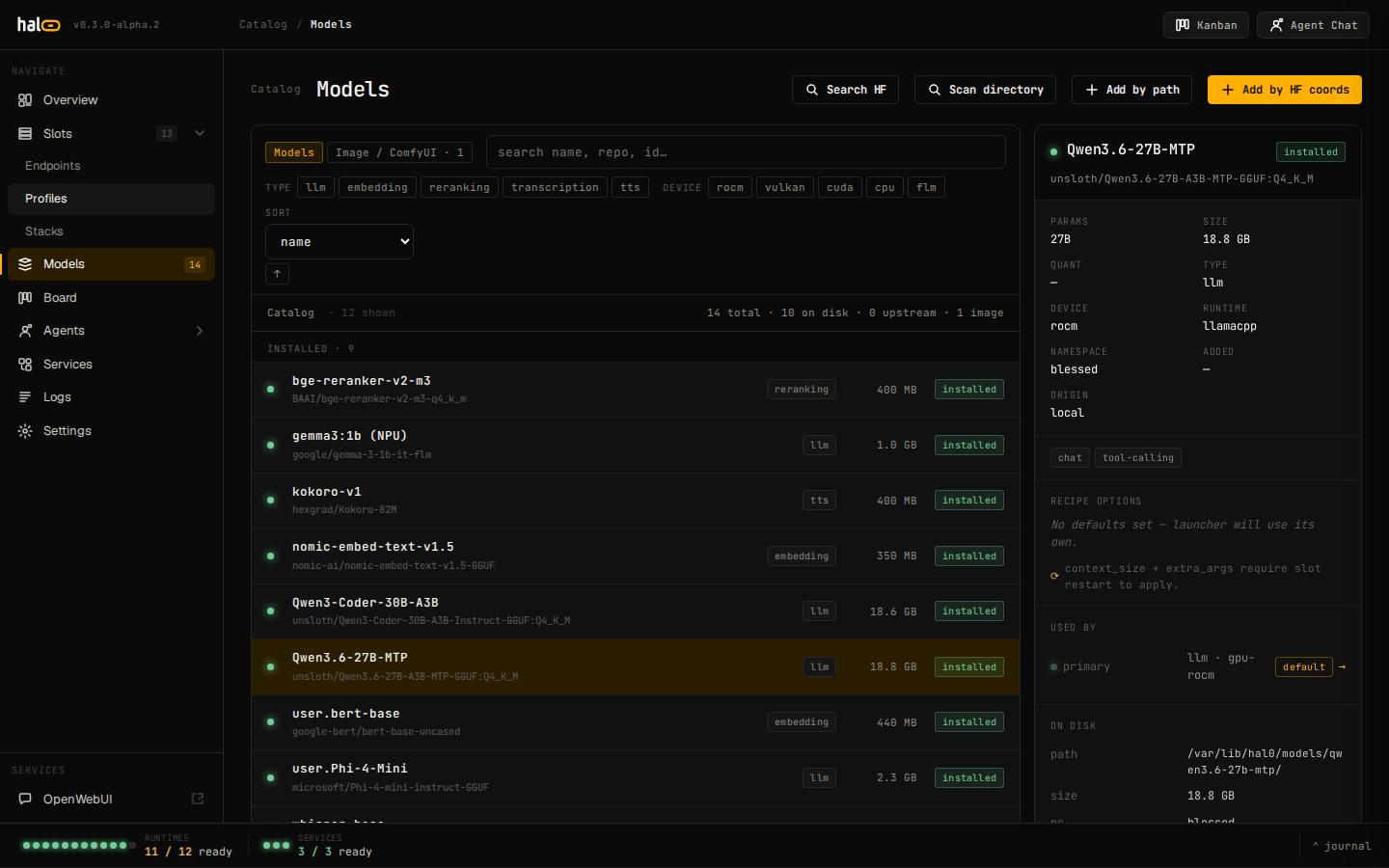 The Models view renders each curated entry as a card with size, license, and minimum-memory badges.
Chat picks
Section titled “Chat picks”Most headline picks use a Q4-class dynamic quant for the size/quality sweet spot; sizing is relative — check a card’s memory badge against your own unified-memory pool before pulling.
| Id | Notes |
|---|---|
qwen3-coder-next |
Frontier coding model; needs a large memory pool. |
qwen3.6-27b |
General-purpose default with MTP and vision support. |
gpt-oss-20b |
OpenAI open-weights 20B. |
qwen3.5-9b |
Lean default; fits alongside embed + voice slots. |
qwen3.5-0.8b |
Tiny; sub-second cold start. |
qwen3-4b |
Fast all-rounder for a small memory budget. |
llama32-3b |
Small and fast; good for low-memory hosts. |
phi3-mini |
Compact reasoning, MIT-licensed. |
Embed, rerank, and image picks
Section titled “Embed, rerank, and image picks”Embed/rerank picks are llama.cpp-compatible GGUFs that run on
gpu-vulkan / gpu-rocm / gpu-cuda / cpu; assign them to an
embedding or reranking slot (--type reranking at
hal0 slot create time — see Manage slots).
Image picks route through ComfyUI and land in its own models tree rather than the per-id model directory — see Generate images for that surface. Image picks span the licensing spectrum on purpose (research-only through fully permissive) — read the license before using output commercially.
Launch flags now live on the model, not the slot
Section titled “Launch flags now live on the model, not the slot”As of v1.0, tuning knobs that used to be per-slot — extra_args, mtp,
jinja, enable_thinking, vision, chat_template, context_size, and
preferred profile — belong to the model (ModelDefaults), not the
slot. A slot binds a model and gets its launch behavior from that
model’s defaults; the old per-slot fields still round-trip in TOML for
compatibility but are inert at launch, and a one-shot migrator folds any
value you had set there into the model.
There’s no dedicated hal0 model edit CLI verb for these fields yet —
set them via PUT /api/models/{model_id} or, more practically, from the
dashboard’s model drawer.
Edit a model from the dashboard
Section titled “Edit a model from the dashboard”Every model row in the Models view carries a kebab (⋮) menu. Today it has one action, Edit model settings, which opens the docked model drawer for that row directly — independent of whichever row is currently selected in the catalogue list, so you can jump straight from any row to its settings without first clicking to select it.
The same drawer opens from a slot card’s pencil icon (see Manage slots) for whichever model is currently bound to that slot — same drawer, two entry points.
Preferred profile
Section titled “Preferred profile”A registry model can declare a preferred profile — the runtime
profile it wants loaded alongside it — under defaults.profile:
curl -X PUT http://localhost:8080/api/models/qwen3.6-27b \ -H 'content-type: application/json' \ -d '{"defaults": {"profile": "rocm-moe"}}'A slot adopts this preference automatically: when it’s created bound to the model with no explicit profile of its own, and again on every subsequent model swap. The preference is honoured only when it’s compatible with the slot’s existing device and type — an incompatible preference is ignored and the slot keeps its current profile; hal0 never flips a slot’s hardware to satisfy a model’s preference.
How model fit is evaluated
Section titled “How model fit is evaluated”Before a model is assigned to a slot, hal0 checks that the model’s
classified modality matches the slot type (chat → llm, embed →
embedding, and so on), that the model id actually resolves in the local
registry, and that the slot’s device agrees with the profile’s device
class. A hard mismatch blocks the assignment; a soft mismatch (for
example a custom image on the wrong device class) is allowed through as
degraded, with the reason surfaced in the dashboard so you know it needs
attention. This is why the device you pick for a slot has to stay
consistent with what you assign to it — see
Manage slots for --hardware.
Off-catalogue models
Section titled “Off-catalogue models”Anything not in the catalogue still works — search Hugging Face, inspect a repo’s variants, and pull by coordinates. See Pull and register models.